
Load Files onto SD Card
Loading Linux Kernel
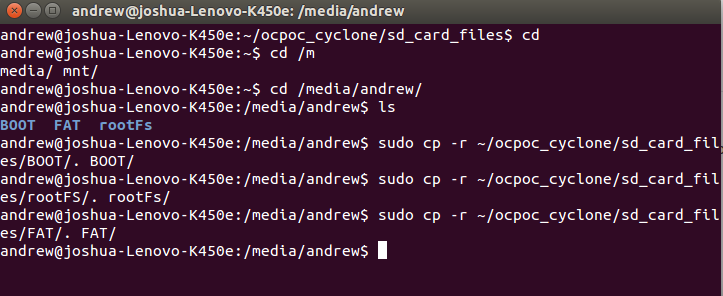
Now we have to load the files we downloaded from github onto our partitioned SD card.
In a terminal type the following commands.
$cd
$cd /media/<user_name>
$sudo cp -r <path_to_files>/BOOT/. BOOT/
$sudo cp -r <path_to_files>/rootFs/. rootFs/
$sudo cp -r <path_to_files>/FAT/. FAT/
Build ArduPilot Exectuable
Now we have to compile the ArduPilot code for the OcPoc-Cyclone. In terminal navigate to the where you downloaded the ArduPilot source code and enter the ArduCopter directory.
$cd ArduPilot/ArduCopter
Now that you are in the correct directory we will compile the executable. Due to some data dependencies this will require two attempts in terminal type the following commands.
$make ocpoc_cyclone
............
...........
%%ERROR
$make ocpoc_cyclone
The second attempt will take a few minutes but will successfully compile the executable and create the ArduCopter.elf file.
Load ArduPilot Exectuable to SD Card
Now that we have the executable created we simply need to copy it to the rootFs partition of the SD card. If you navigate your terminal to the '/media/' directory the terminal command will look like this
$sudo cp -r ~/<path_to_ardupilot_directory>/ArduCopter/ArduCopter.elf rootFs

Lastly we will rename the file to ArduOcPoC.

We are now ready to hook everything up to the airframe!
Updated less than a minute ago